Blog
The Antropy OpenCart Blog

How to Add a New Image Banner on your Homepage Within OpenCart
Rolling banners on your homepage are a very important visual representation of the products or brands that you sell on your site. Being able to add a new image banner on your homepage is a pretty important task to know how to undertake yourself and this blog will highlight exactly how this is done:
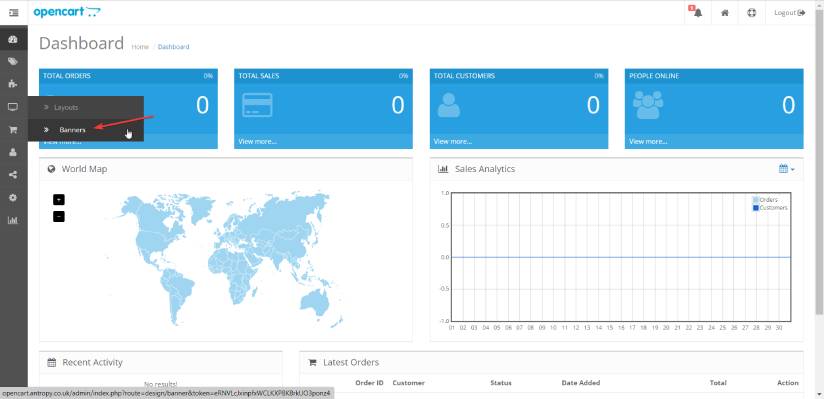
- Firstly navigate to the Banners page within the OpenCart Admin.
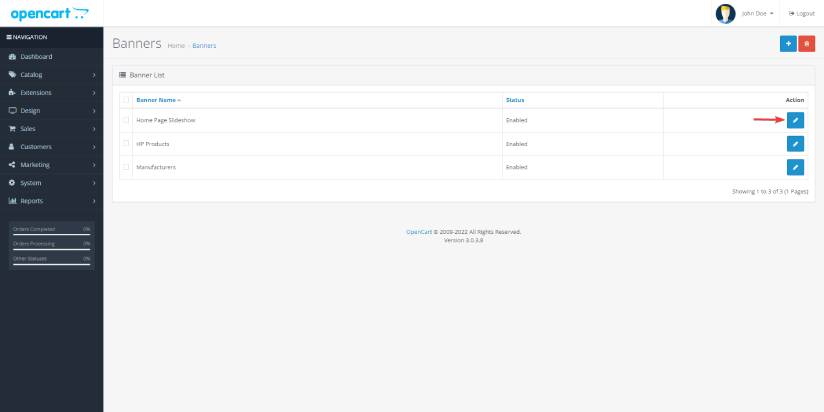
- Click edit on the Home Page Slideshow.
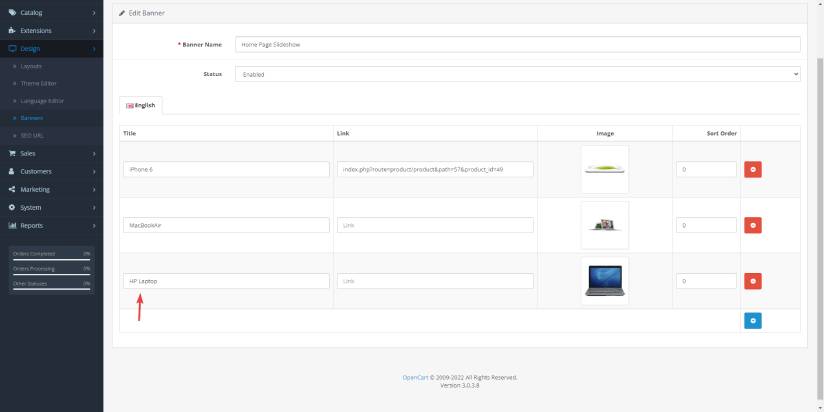
- Once on this page you will be able to fill in your new image banner by clicking Add New. You will be able to add the product you want featured, you will need to the title, link (if you want customers to be able to click on the banner) and picture before you click save.
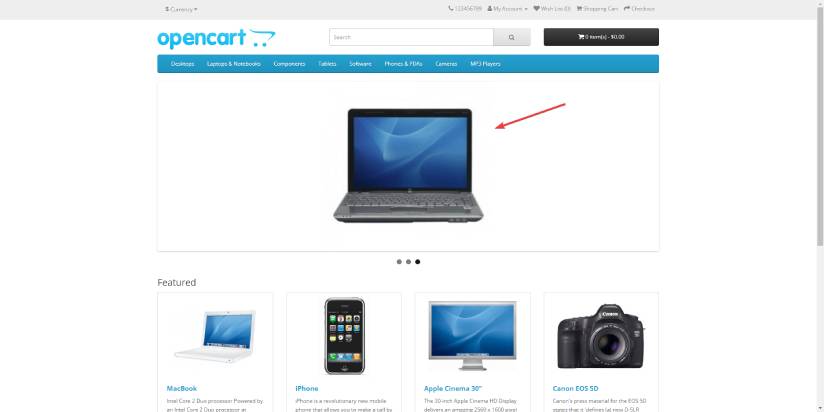
- Once upload you will be able to see the new image banner on your homepage.