
Blog
The Antropy OpenCart Blog
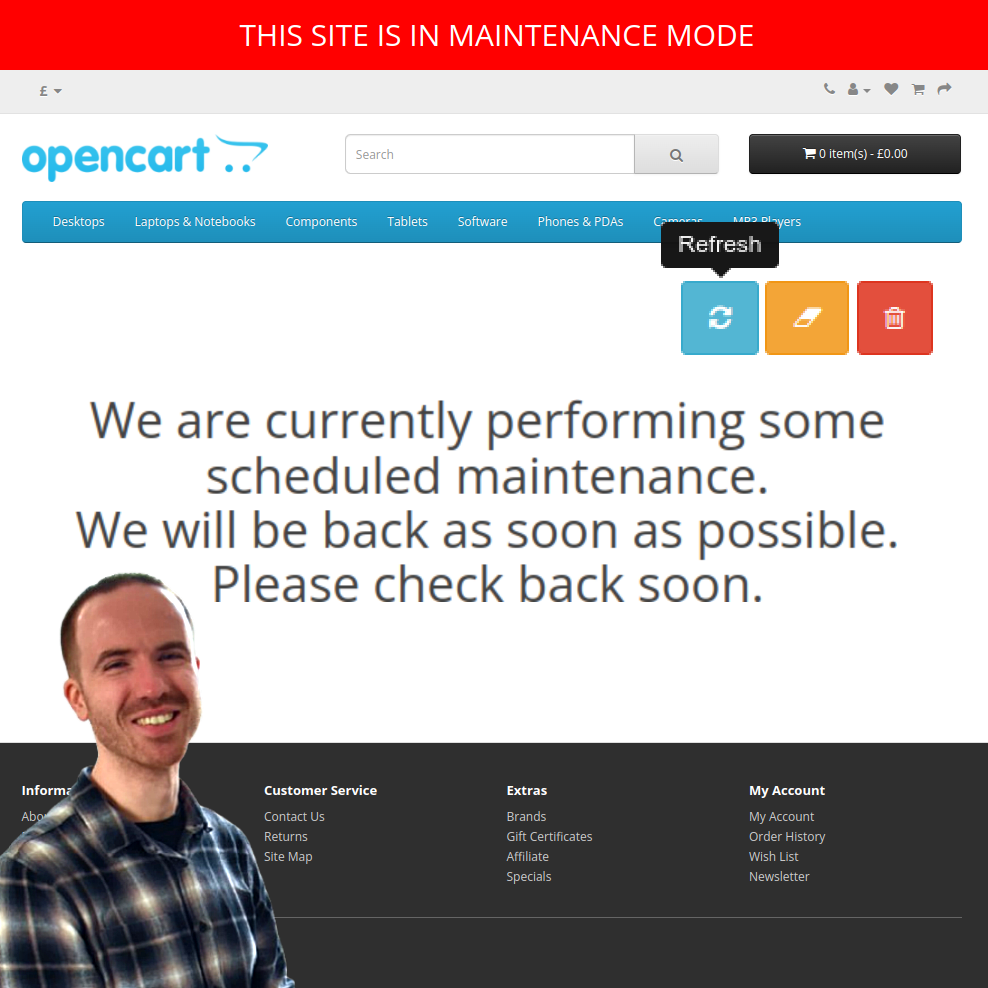
How to Fix Maintenance Mode on Your OpenCart Site
Picture the scene - things have been unusually quiet on your online OpenCart store, with not having received a single order in several days. The site seems fine when you log into the admin panel and browse around the front end, but no one seems to be buying.
Then you get a call or an email from a confused customer asking when the 'scheduled maintenance' will finish on your site. Wait, what scheduled maintenance? You go on your store's front end and everything looks fine - but when you try again with a different browser or device, instead of your store all that shows up on every page is a message: 'We are currently performing some scheduled maintenance. We will be back as soon as possible. Please check back soon.'
In fact, that's what everyone who comes to your site has been seeing - except you! How could this be possible?
It's possible because there is a scenario where OpenCart puts itself into Maintenance Mode and even worse, if you're logged in to the OpenCart admin, you'll see the store as normal!
The Scenario
The issue can arise from a seemingly unrelated activity - installing extensions. When you install an extension, you often need to go to Extensions → Modifications in the admin panel and press the blue 'Refresh' button to complete the installation.
While OpenCart is refreshing, it temporarily enables Maintenance Mode. But sometimes it can fail to disable it when refreshing is finished. This leaves the website showing the 'scheduled maintenance' message instead of your actual store.
OpenCart still lets the admin browse the store while it's in Maintenance Mode. If you log into the admin panel first, the front end can be used as normal, while everyone else sees the maintenance message. But there is no indicator that this is happening, either in the front end or in the admin panel, when using the site as an admin while it's in Maintenance Mode - apart from the Maintenance Mode switch tucked away in the admin system settings page.
All these together become ingredients of a recipe for disaster: it is very easy to accidentally put your site into Maintenance Mode, and be completely unaware that it is inaccessible to anyone else!
Maintenance Mode Reminder
To address this issue, we've made a free extension: Antropy Maintenance Mode Reminder. It shows a red banner at the top of the website and admin panel to indicate clearly that the site is in Maintenance Mode. So no longer will customers be prevented from buying from your store.
Download the FREE Antropy Maintenance Mode Reminder extension for your OpenCart store today!