
Blog
The Antropy OpenCart Blog
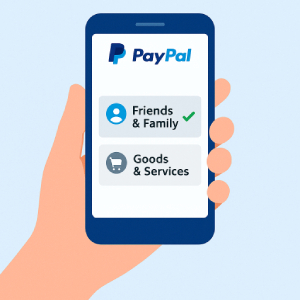
Where to Find the PayPal Friends & Family Option
When sending money through PayPal, you’ll often see two different options: Friends & Family and Goods & Services. Each serves a different purpose:
- Friends & Family – for personal transfers to people you know, such as friends, family, or trusted contacts. This option typically avoids the seller fees charged with business transactions.
- Goods & Services – for buying products or services, which includes PayPal’s buyer protection.
If you’re making a personal payment and want to avoid unnecessary fees, here’s where you can find the Friends & Family option.
On PayPal via Desktop
- Log in at paypal.com.
- Click Send & Request from the main menu.
- Enter the recipient’s email or phone number.
- Type in the amount you’d like to send.
- When asked what the payment is for (Payment Type), choose:
- Sending to a trusted contact → Friends & Family
- Paying for an item/service → Goods & Services
- Confirm and send your payment.
On the PayPal Mobile App
- Open the app and sign in.
- Tap Send.
- Enter the recipient details and the amount.
- Before confirming, look for the payment type and choose Friends & Family (in some regions, it may be labeled Send to Someone You Trust).
- Review and complete the payment.
Key Takeaway
The Friends & Family option is ideal for trusted personal payments and helps avoid extra PayPal fees, while Goods & Services is best when purchasing items where buyer protection is important. Knowing where to find these options ensures you always send money in the most appropriate way.